SingVoicer
FREE · NO ACCOUNT · NO TRACKING

Sing through
studio effects, live.

A pocket vocal effects rack and recorder. Compressor, echo and reverb on your voice in real time — then record every take as a clean WAV. The same chain also runs as an Audio Unit inside GarageBand and other DAWs.

Download on the App Store Google Play · Coming soon

Free — iPhone · Android soon

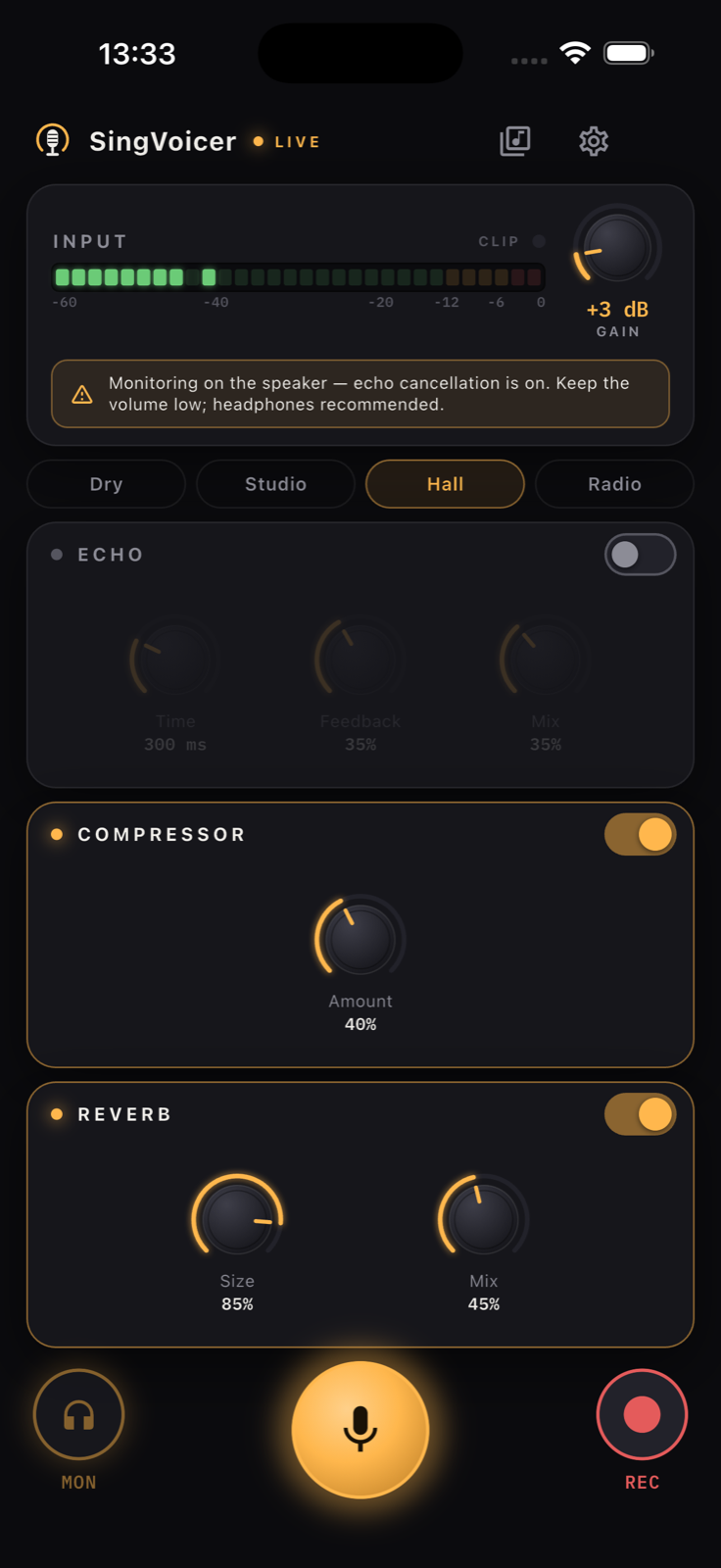
SingVoicer Stage with the Hall preset and effects on
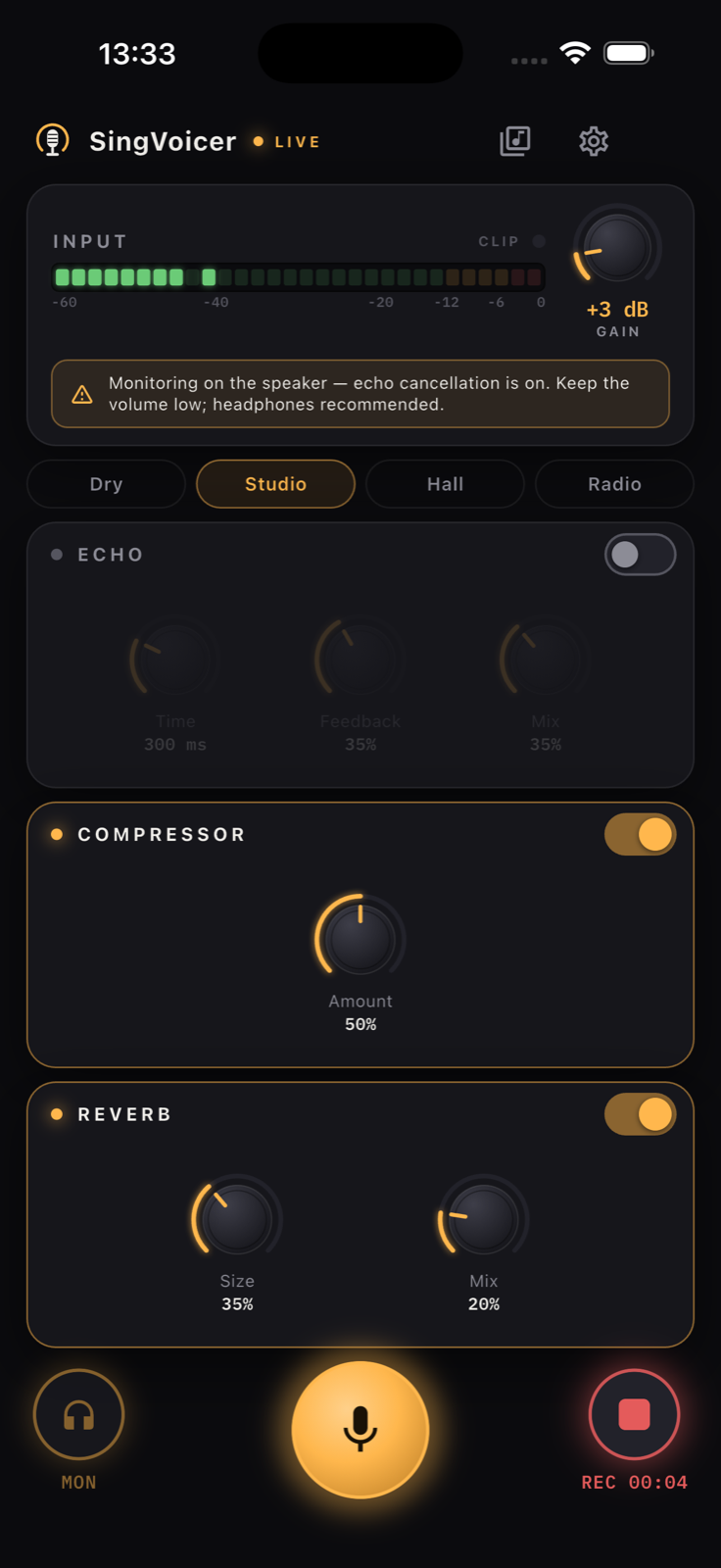
SingVoicer recording a take with the input meter lit
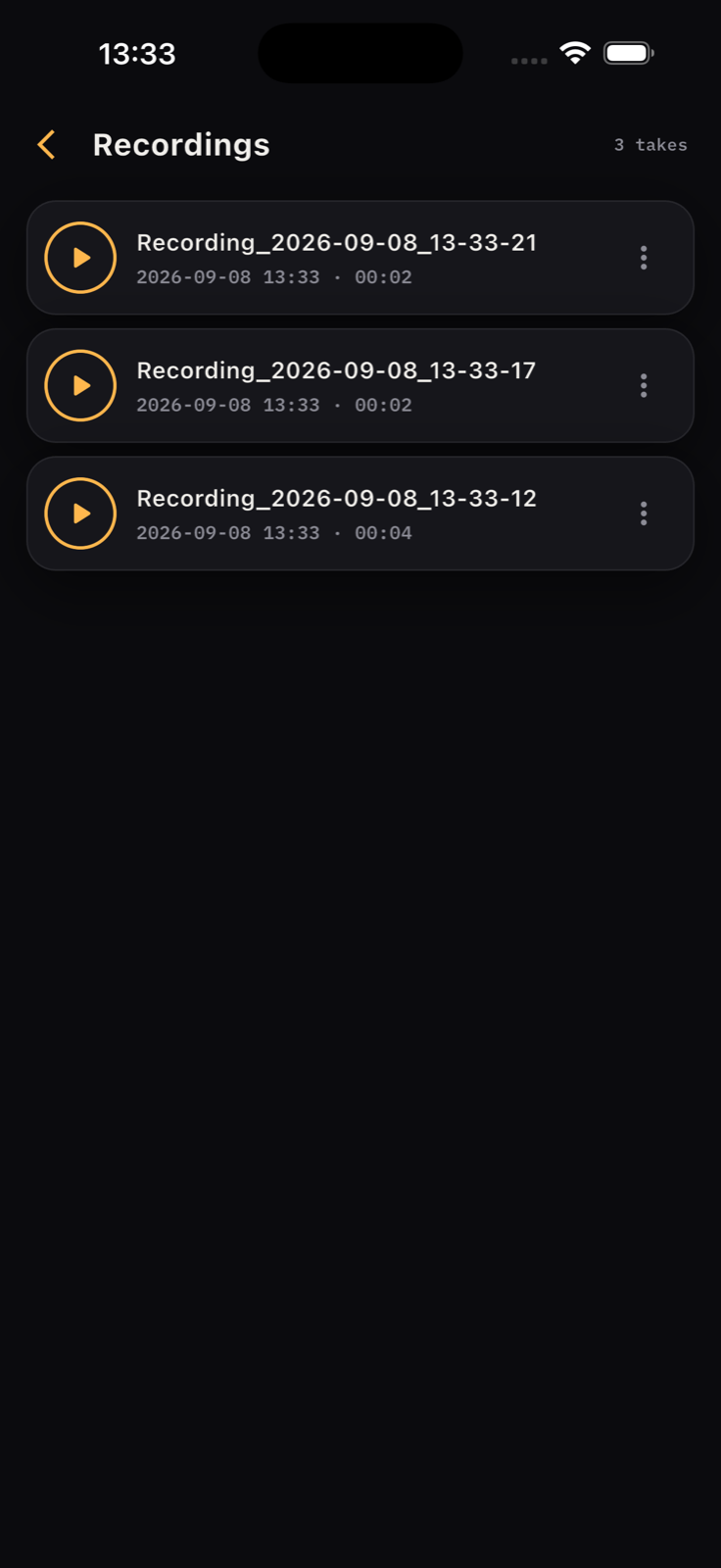
SingVoicer recordings library
Real‑time vocal effects
Compressor · Echo · Reverb
Input gain with a dB meter
WAV recorder
AUv3 plugin for GarageBand
On‑device privacy
Completely free
Real‑time vocal effects
Compressor · Echo · Reverb
Input gain with a dB meter
WAV recorder
AUv3 plugin for GarageBand
On‑device privacy
Completely free

What it does

A vocal chain in your pocket.
Nothing to set up.

Live in one tap

Tap the mic and hear yourself through the chain instantly. A low‑latency engine built for singing, not for phone calls.

Three real effects

ECHO with time, feedback and mix. COMPRESSOR with one honest knob. REVERB with size and mix. A limiter always guards the output.

Input gain that makes sense

0 to +24 dB with a proper dB meter and a clip LED. Turn until the meter lands at two thirds — that's the whole lesson.

Presets, then your own

Dry, Studio, Hall and Radio get you a sound in one tap. Touch any knob and it's yours.

Record what you hear

48 kHz 16‑bit WAV, effects included, monitor volume excluded. Rename, play back with a progress bar, share anywhere.

Truly on‑device

No servers, no analytics, no account. Recordings stay on your phone until you choose to share one.

SingVoicer FX · Audio Unit

Works inside your DAW.
Same chain, on any track.

Installing SingVoicer also installs SingVoicer FX, an AUv3 effect. Add it to a vocal track in GarageBand, Logic Pro for iPad, Cubasis, AUM or Loopy Pro and you get the compressor, echo, reverb and input gain from the app — with the four presets and host automation.
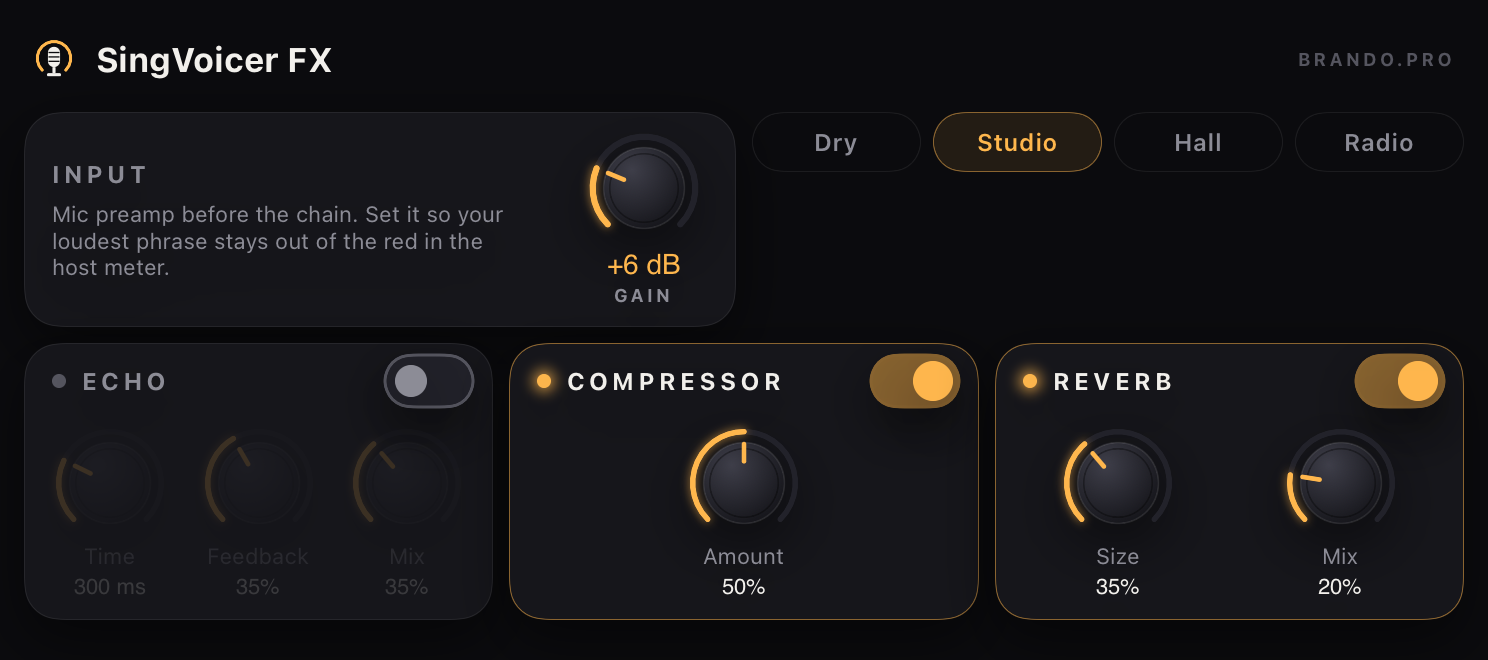
  • Ten automatable parameters, read in host units (ms, %, dB)
  • Dry · Studio · Hall · Radio as factory presets
  • Native panel that fits a phone in portrait and a landscape plugin sheet
  • Mono or stereo, any sample rate, 2 s tail for the reverb
SingVoicer FX Audio Unit panel: input gain, preset chips and the ECHO, COMPRESSOR and REVERB cards

SingVoicer FX in a landscape plugin sheet

The Stage

One screen.
Nothing to scroll while you sing.

Meter and gain at the top, effects in the middle, transport under your thumb. It fits every iPhone from the SE up without moving a single control.
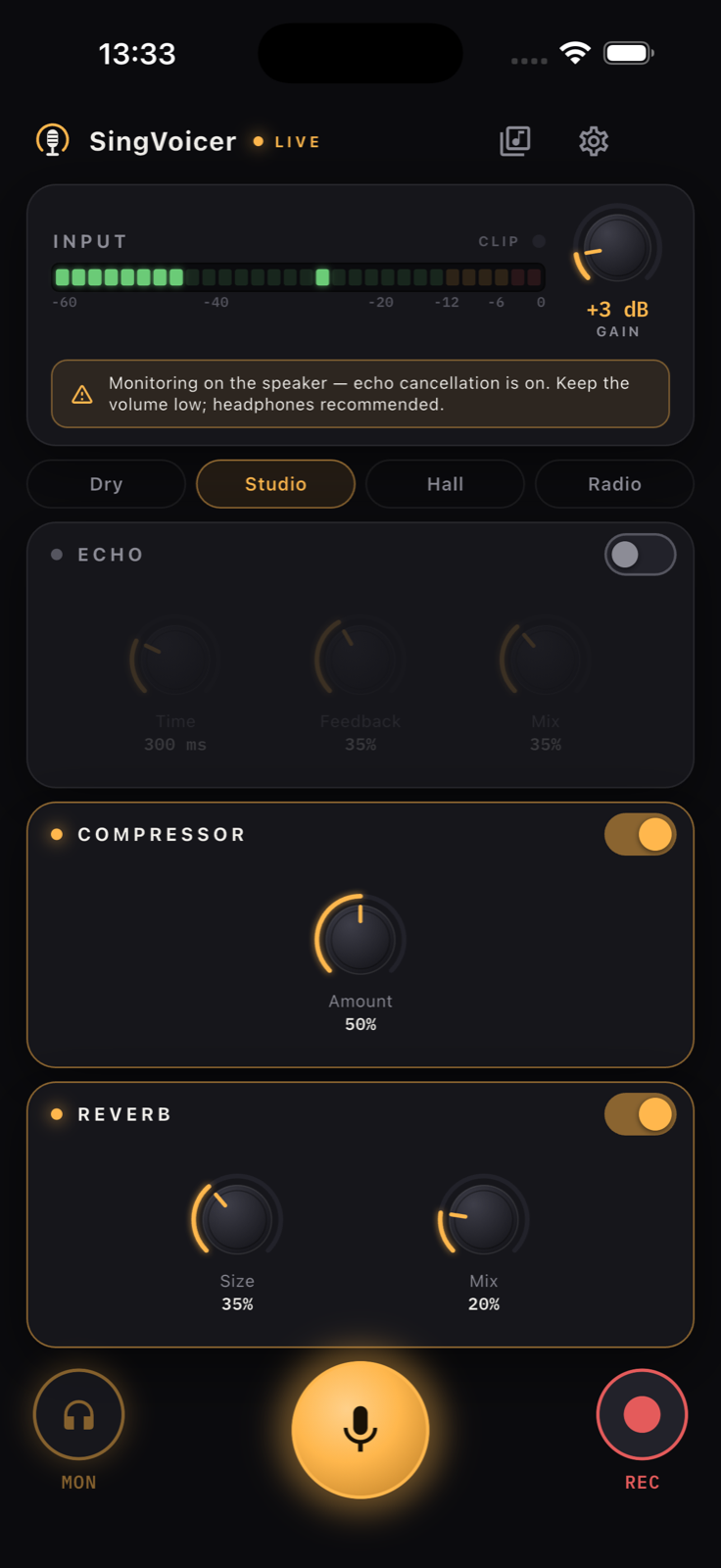
  • 30‑segment VU on a −60…0 dB scale with peak hold
  • Knobs you drag like hardware, with readouts in ms and %
  • Monitor button — record without hearing yourself
  • Feedback guard: warns and dims monitoring on the speaker
SingVoicer Stage live with the Studio preset and +3 dB gain

Who it's for

For the warm‑up, the rehearsal, the demo.

For singers

  • Hear yourself the way a room or a record would — a touch of reverb makes practice feel like performing.
  • Compressor evens out quiet and loud phrases so you can work on tone, not on the mic distance.
  • Every take is a WAV in the library. Send the good one to your teacher or your band.
  • Headphones in, phone in your hand — that's the whole setup.

For teachers & small stages

  • Show a student what "supported" sounds like with the compressor on, then off.
  • Plug in a wired interface or a headset mic — SingVoicer picks the input you choose in Settings.
  • Engine status shows sample rate and buffer, so you know the latency you're working with.
  • No sign‑in. Hand the phone over without a second thought.

FAQ

Short answers.

Is SingVoicer really free?
Yes. No ads, no subscriptions, no pro tier. Every effect and the recorder are included.
Does it send my voice anywhere?
No. Audio is processed on your device. Recordings are files on your phone and only leave it through the share sheet, to the destination you pick. See the privacy policy.
Do I need headphones?
For live monitoring, yes — otherwise the speaker feeds back into the mic. SingVoicer warns you and dims the monitor when that can happen. Recording works either way.
Is there autotune or pitch correction?
Not yet. SingVoicer is about hearing your real voice well; pitch correction is on the roadmap. For pitch practice, try our free SingTuner.
What devices are supported?
iPhone running iOS 15 or later. Wired headsets, Lightning/USB‑C audio interfaces and Bluetooth headphones all work; wired gives the lowest latency.
How do I get support?
ALWAYS FREE

Put on headphones. Tap the mic.

Download SingVoicer for iPhone — the SingVoicer FX Audio Unit comes with it. No account, no ads, no tracking — just your voice, better.

Download on the App Store Google Play · Coming soon

iPhone — Android coming shortly.